Skip to product information
1 of 8
0 ( 0  Reviews )

SimSpace Impact & Noise Absorbing Foam Backing

SimSpace Impact & Noise Absorbing Foam Backing

Regular price €189,99 EUR
Regular price Sale price €189,99 EUR
Sale Sold out
Taxes included. Shipping calculated at checkout.
Quantity

Delivery Info

+

For more details, please visit our Shipping policy page.

Setup Guide

+

Setting up your SimSpace Golf impact screen is straightforward and designed to give you a professional-quality simulator experience at home with minimal effort. Each screen, available in Elite, Double-Sided, Platinum, and sound-dampening options, is built for durability, clear projection, and reliable performance, and can be easily installed onto a sturdy custom frame with at least 30cm of space behind it to safely absorb ball impact and reduce bounce-back.

Simply unpack and allow the screen to relax, then use the reinforced eyelets and bungee cords to secure it evenly around your frame, creating a smooth, tight surface for the best image quality; any minor creases can be quickly removed with a handheld steamer. Within a short time, you’ll have a clean, secure setup ready to use with your hitting mat and launch monitor, transforming your space into a realistic practice environment. If you’d prefer an even simpler option, fully built enclosures and nets are also available, making it easy for any golfer to get started with confidence.

For full care and maintenance guidance, please refer to the impact screen care guide Click Here.

Specification

+
  • Designed to sit behind your impact screen (not for projection)
  • Impact- and noise-absorbing foam backing
  • Reduces sound and softens each shot
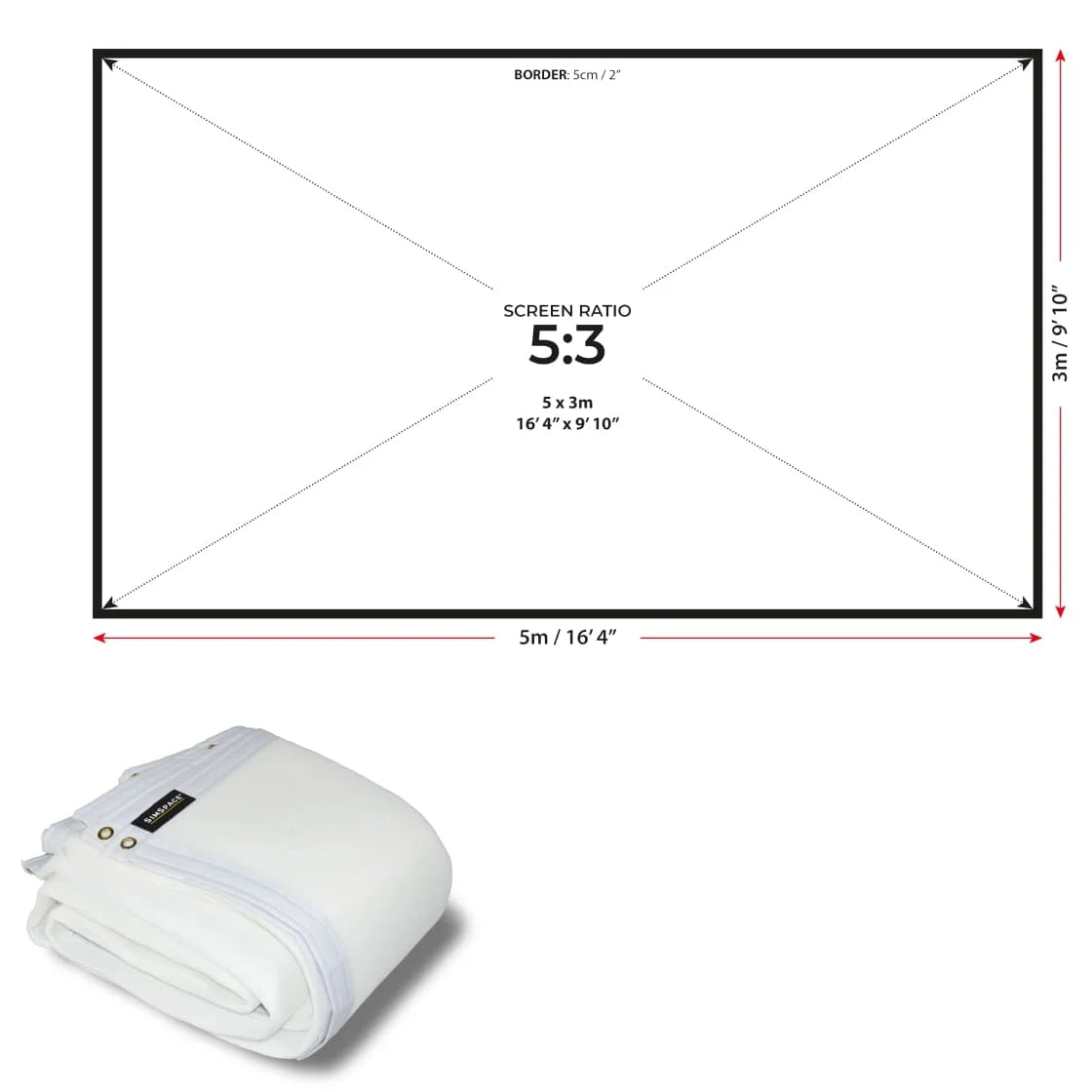
  • Listed sizes reflect total edge-to-edge dimensions
  • Foam area is 10 cm smaller in both width and height
  • Includes a 5 cm white border on all sides
  • Eyelets positioned within the border for bungee attachment
  • Eyelets spaced approximately 30 cm apart
  • Pairs perfectly with the impact screen
View full details

SimSpace Impact & Noise Absorbing Foam Backing

The SimSpace Impact & Noise Absorbing Foam Backing enhances your golf simulator by reducing impact noise and adding a cushioning layer behind your screen for a quieter, more comfortable experience. Designed for easy installation and seamless compatibility, it helps protect your setup, extend screen lifespan, and improve overall performance during regular practice.

Reduce Impact Noise

RapsodoThe SimSpace Impact & Noise Absorbing Foam Backing is designed to sit behind your impact screen to help reduce sound during simulator play. Cushioning the ball strike, it helps dampen impact noise for a quieter practice environment.

  • ✓︎Foam backing helps absorb ball impact behind the screen
  • ✓︎Reduces noise created during simulator shots
  • ✓︎Ideal for quieter home simulator setups
  • ✓︎Great for garages, spare rooms and indoor studios
Reduce Impact Noise

Added Impact Cushioning

Positioned behind your impact screen, the foam layer helps soften the force of repeated ball strikes. This additional cushioning can help improve the feel of your simulator setup during regular practice.

  • ✓︎Adds a cushioning layer behind the impact screen
  • ✓︎Helps soften the force of repeated ball strikes
  • ✓︎Improves the overall feel of your simulator setup
  • ✓︎Designed for regular home simulator practice
Added Impact Cushioning

Designed for SimSpace Impact Screens

The foam backing is built to work seamlessly with all SimSpace standalone impact screens. It sits neatly behind the screen to provide additional support without affecting projection quality.

  • ✓︎Designed to work with SimSpace standalone impact screens
  • ✓︎Fits neatly behind the screen surface
  • ✓︎Maintains clear projection while adding protection
  • ✓︎Ideal addition for SimSpace simulator setups
Designed for SimSpace Impact Screens

Quick Bungee Cord Installation

Installation is simple by attaching the foam backing behind your impact screen using bungee cords. This allows you to quickly add or remove the backing depending on your simulator setup.

  • ✓︎Attaches behind the screen using bungee cords
  • ✓︎Quick and straightforward installation process
  • ✓︎Compatible with most simulator frame setups
  • ✓︎Easy to adjust or remove when required
Quick Bungee Cord Installation